Free months, five taps.
Your code unlocks ZenMode Pro through Google Play. You redeem it at checkout, inside the app. Here is exactly where to tap.
V3 launch code: ZENPRO90. The first 1,000 people to redeem it get 3 months of Pro free.
Before you start. Update ZenMode from the Play Store, and have your code ready. It redeems once, on the Google account your Play Store is signed in with.
-
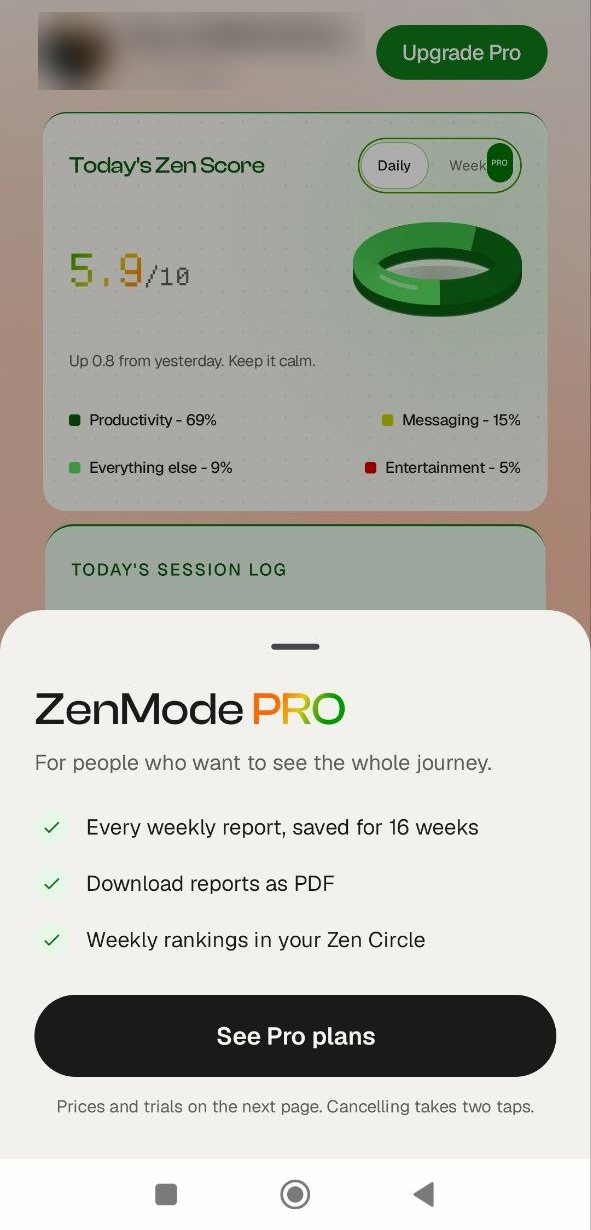 STEP 01 / 05
Open Pro from your home screen.
Tap Upgrade Pro at the top of the ZenMode home screen. A sheet slides up. Tap See Pro plans.
-
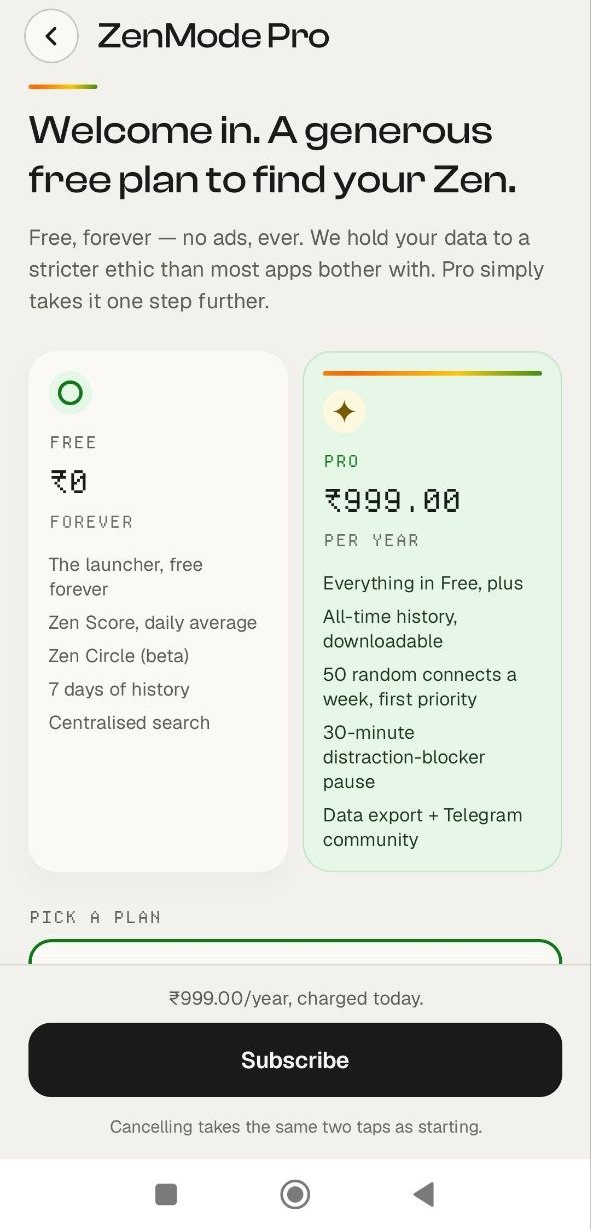 STEP 02 / 05
Pick a plan, tap Subscribe.
Choose your plan under Pick a plan, then tap Subscribe. You are not charged here. Google Play opens its checkout first.
-
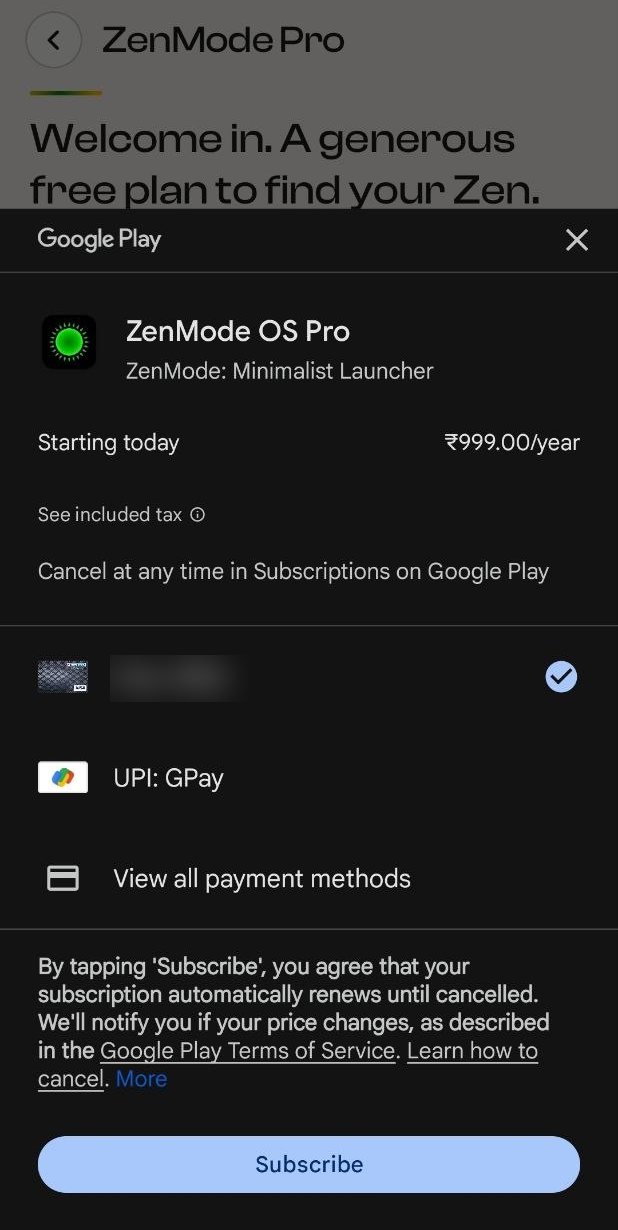 STEP 03 / 05
Open your payment methods.
On the Google Play sheet, do not tap Subscribe yet. Tap your current payment method, or View all payment methods.
-
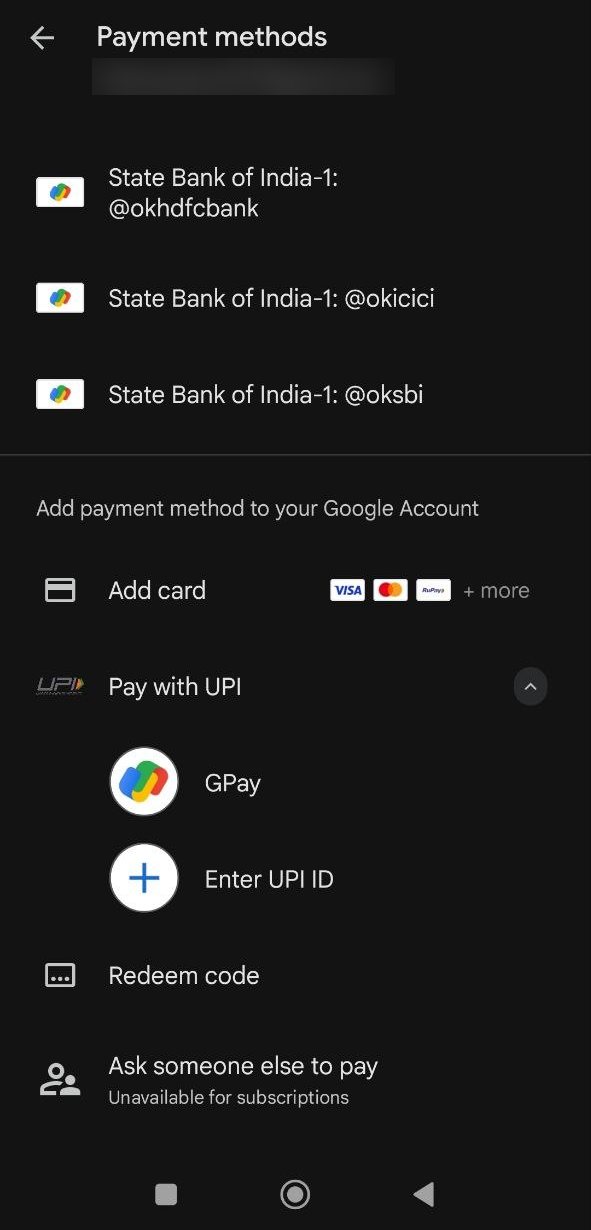 STEP 04 / 05
Tap Redeem code.
Scroll to the bottom of the list and tap Redeem code.
-
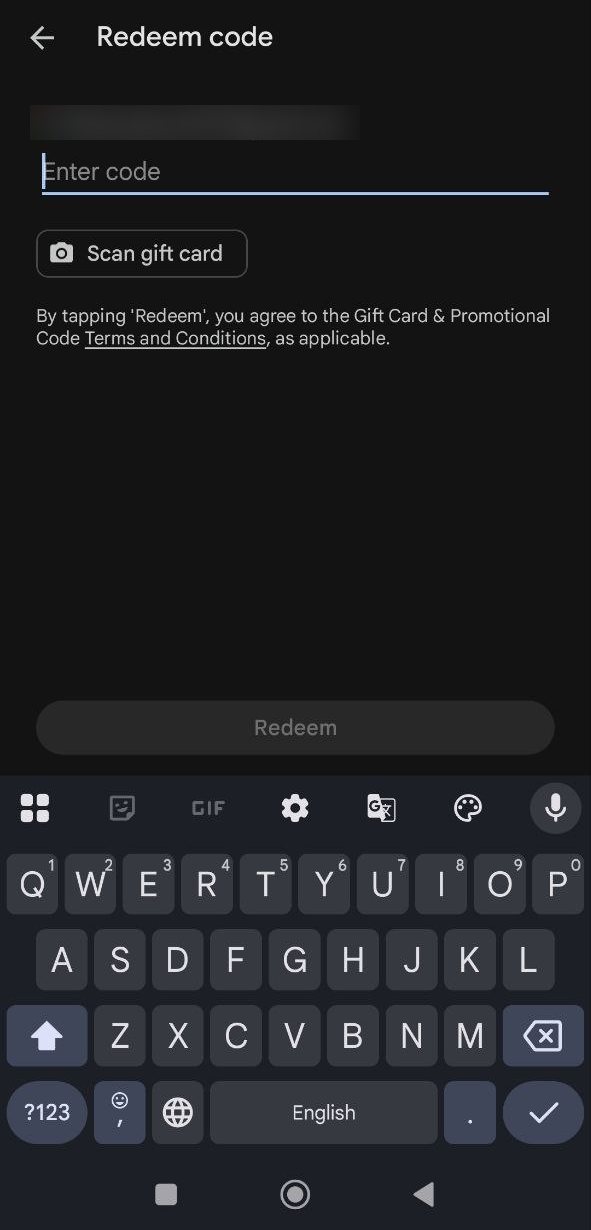 STEP 05 / 05
Enter your code, tap Redeem.
Type or paste your code and tap Redeem. Google Play takes you back to checkout with your free months applied. Check the dates, then tap Subscribe to confirm.
● That's it. Pro is on. Cancel any time in Google Play › Subscriptions, before the free months end if you don't want to be charged.
Three things to check.
Google Play says the code is invalid.
Check every character, and that the code hasn't been used before. Each code redeems once.
I can't find Redeem code.
Update the Google Play Store and ZenMode, then start again from step one. Redeem code sits at the bottom of the payment methods list.
Still stuck?
Write to helpdesk@zenmodeos.com with a screenshot, or ask in our Telegram group. A person reads every one.
Free still covers what matters.
Blocking, today's score and the daily report cost nothing and always will. Pro is for looking back further.